Add "Only Visible Products" checkbox to admin product search, exports, etc....

Not sure why this should even be a Feature Request, lol... For export options, for example, you can either export ALL products (visible and hidden), or just export only hidden items. The same for admin product Search Options: there's a checkbox to display "Only Hidden Products", but not "Only Visible Products"... Why can't we export / search for / see only visible items?
-

Hey Karen!
Searching the admin defaults to only show visible products so it already works the way you're asking. In your admin if you expand the advanced search you'll see an option to also show hidden products included in your search. 😀
Exports are a different story as you aren't allowed to export ONLY visible products. However, there should be a column for visibility status in the catalog you can filter in Excel. That being said we're going to review that and look at adding that extra checkbox for only visible products on our product road map.
Let me know if that helps!
0 -
No...? At least that's not the way *my* admin works... it either shows visible+hidden products, or hidden only (via Search Options) - there is no way to show (and/or default to) visible items only.
1 -

Sales Team,
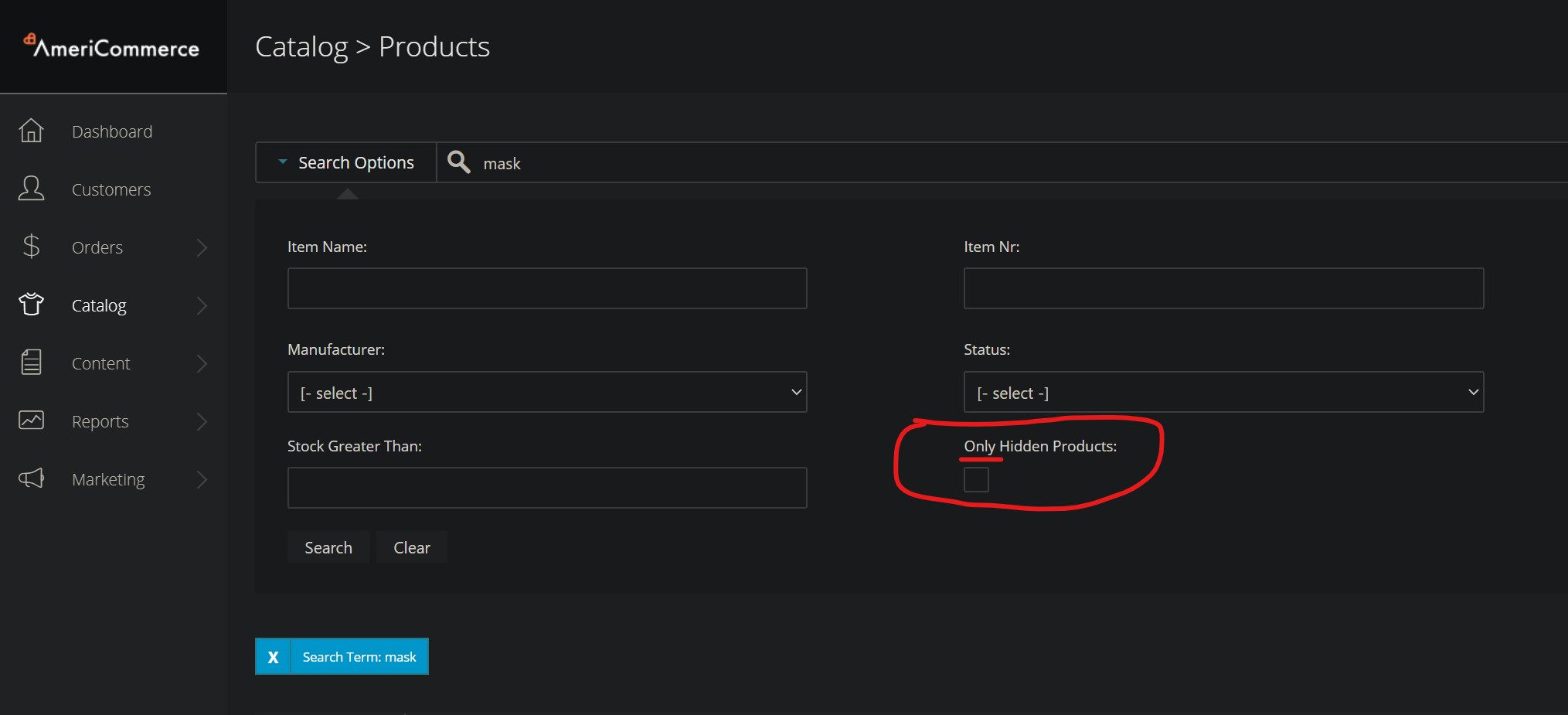
I agree with Karen here, the advanced search option is literally labeled "Only Hidden Products" not "Include Hidden Products". (see screenshot below)
A normal search without any advanced options set shows both hidden and non-hidden products.
There is no way to show ONLY non-hidden products in an admin search.
 0
0 -

Hi Karen and Colin,
I agree this would be a great feature to add to the platform for admin product searches as there is not a way to show "only visible products."
You can add the "Show" column to reference as you view the products by selecting "Active Layout > Edit Current Layout" in the upper left of the product list. However, this doesn't remove them from search results, but allows a quick way for you to tell if they're hidden or not.
I could see this being very handy when exporting too, although the need is less pressing with a hide column available for actual sorting/removal of these.
1 -

We are also interested in having this functionality to be able to do scheduled exports to advertise all of our products that are visible on our website. Filtering the column in excel works, but requires human interaction and downloading of larger file sizes.
Thanks!
Lisa
0
Please sign in to leave a comment.
Comments
5 comments