Ability to hide or turn off slides within slideshow widget

During the holidays or other events we'd like to add a slide or two, and temporarily remove some of our more long-term slides, however the only way to remove long-term slides is to delete them completely, then add them back when the special slide is done. It would be nice to have a "Hide" checkbox for the slides like is available virtually everywhere else.
-

I agree this would be convenient, but this can be done manually just by commenting out the slide you want to hide. We have done this many times, but takes someone who is willing to modify the code.
If you open up the slide widget and go to Layout, each slide is in its own <li> html tags, example:
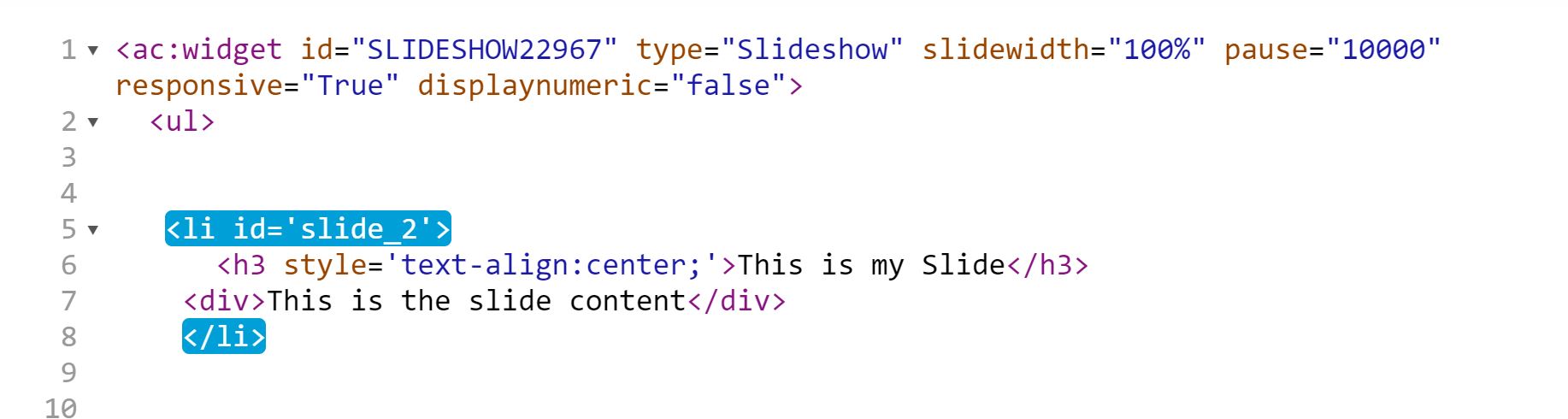
You can add html comment tags before and after the slide in order to just hide that slide, example:
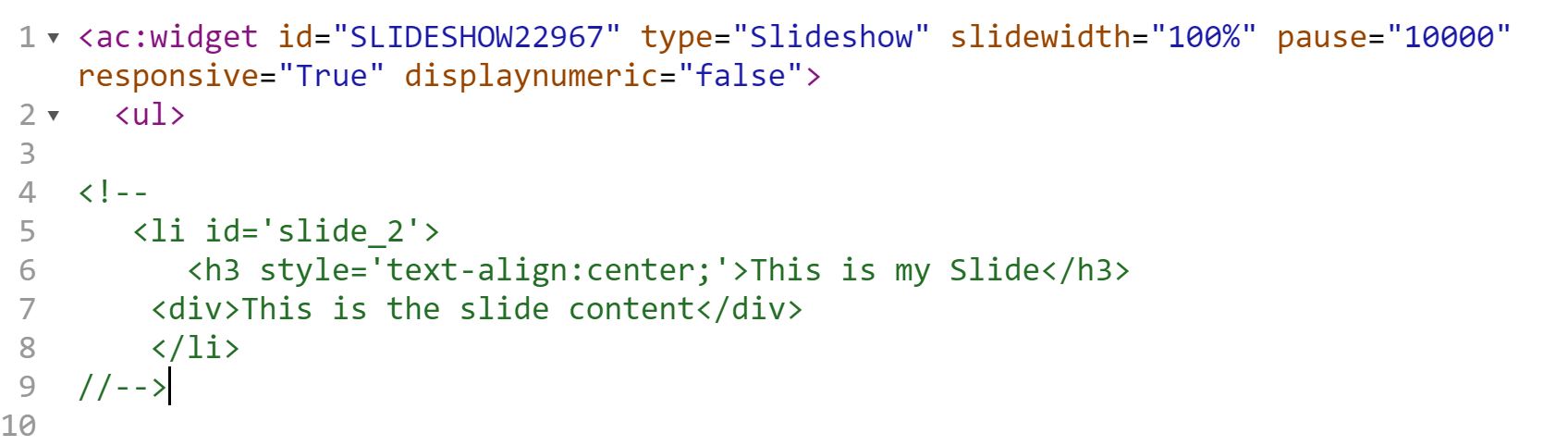
This will hide the slide without getting rid of it. It works, but like I said it would be nice to have a way to do this in the settings of the widget and not have to mess with the code to accomplish this.
0 -
I never thought of that! Great idea. Thanks for passing it along.
0 -
You are welcome, glad I could help. I still think this is a great feature for AC to add.
0 -

suggested previously here with votes already : https://support.americommerce.com/hc/en-us/community/posts/360034212534--hide-slide-inside-of-slideshow-widget
vote it up there
0 -

More discussions here, might as well continued the dialogue on this FR.
0
Please sign in to leave a comment.
Comments
5 comments